


Projecto
UX/UI • App • Case Study
Project-management application
Most project management tools ask teams to adapt to them. Projecto was designed around the opposite idea — a fully configurable platform that shapes itself around the way you and your team actually work, regardless of the scale or complexity of what you're managing.
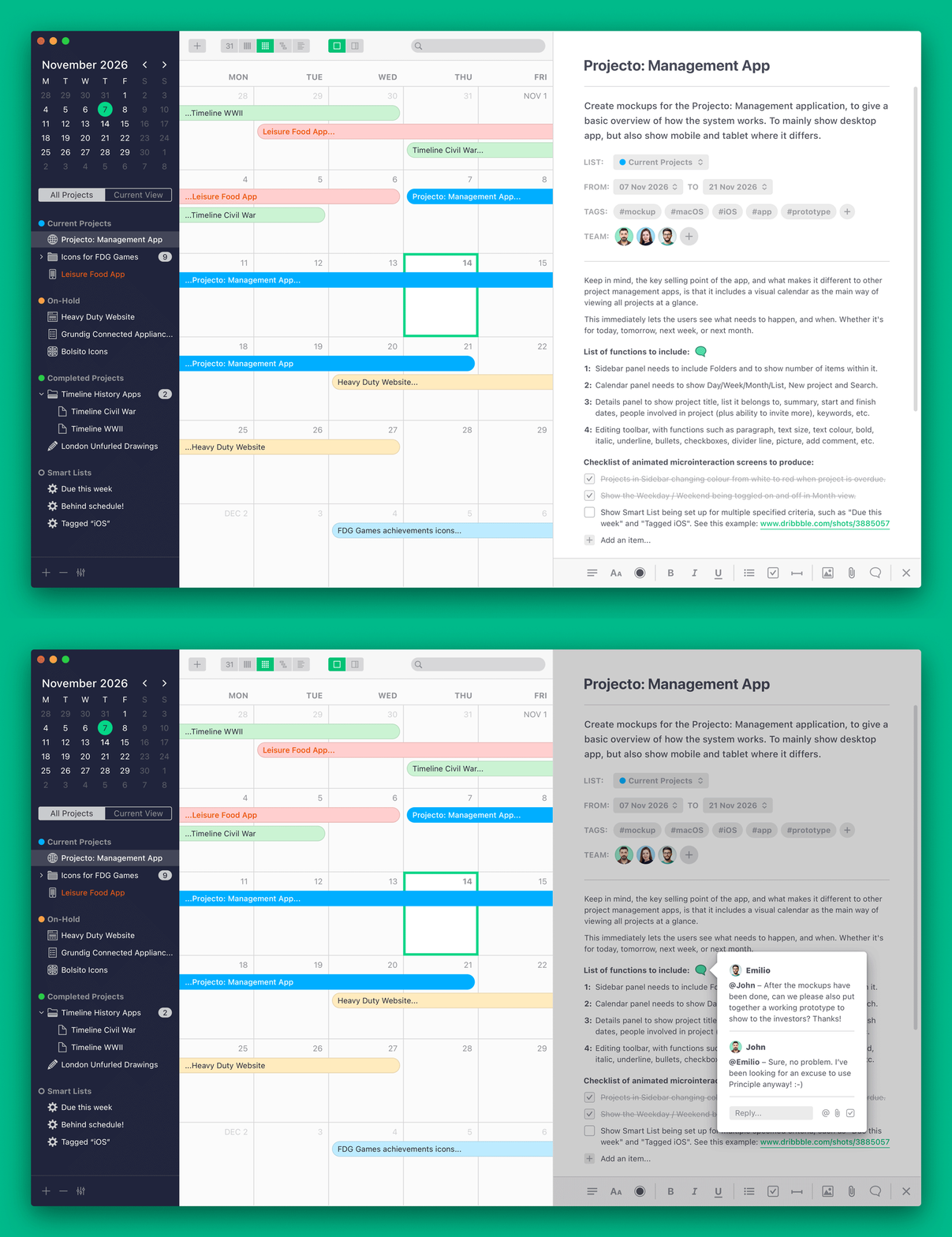
The centrepiece of the application is a highly visual, customisable calendar that brings every project into a single, coherent view. Rather than burying tasks in lists or abstract dashboards, it places work in its proper temporal context — making it immediately clear what needs to happen, and when, whether that's today, next week, or next month.
Beneath that clarity sits a platform that doesn't ask users to compromise:
A fully self-initiated project, Projecto was conceived and designed from personal needs. Every creative and strategic decision was made and owned independently, from the first concept sketch through to the finished designs.
View your work calendar any way you choose, depending upon how many projects you have going on, or how many you want to see at any one time. View by the standard Day, Week, or Month calendar views, or even select a Gantt chart or List view if you prefer.
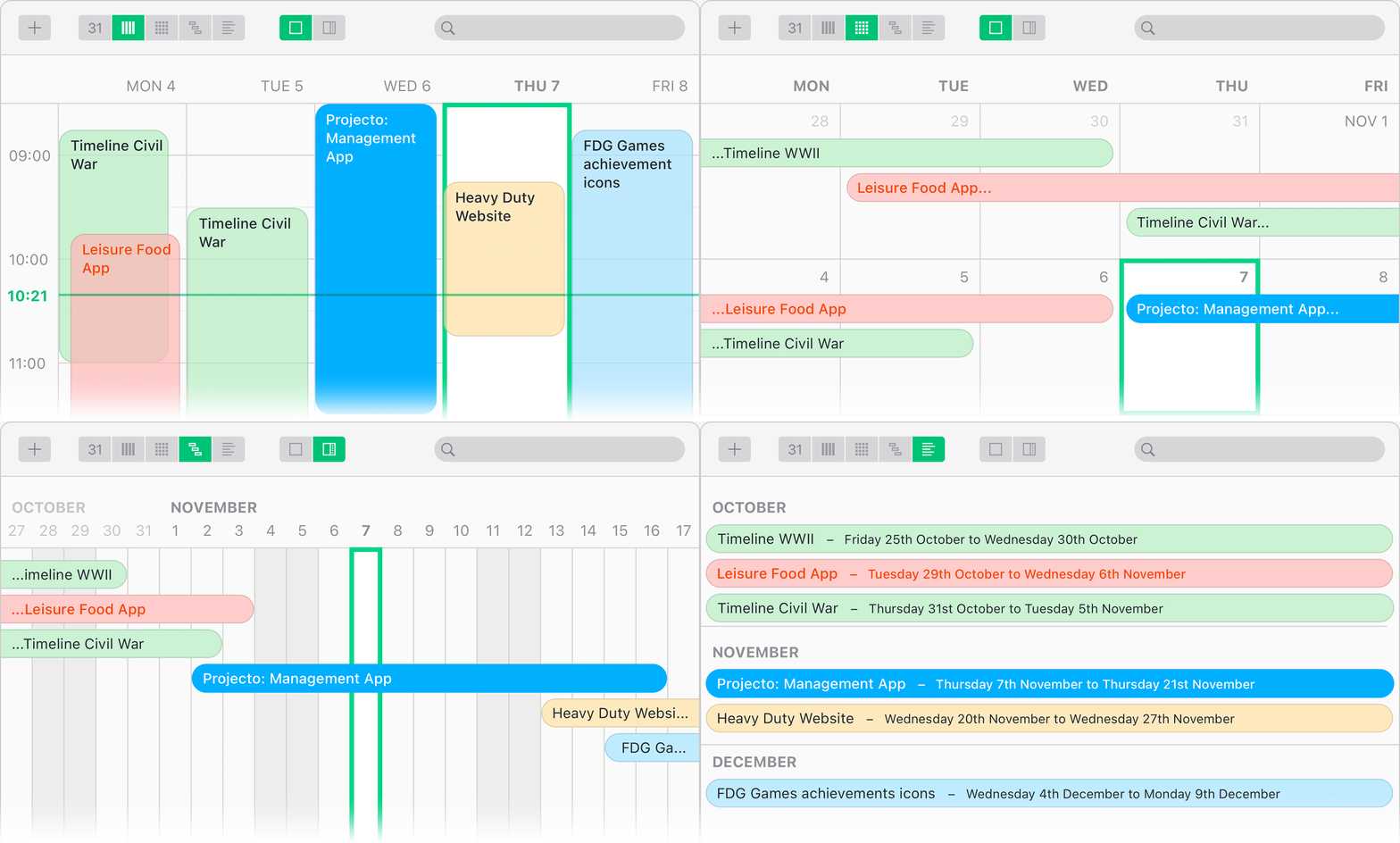
Depending on what days you work, or if you want to keep things neat and tidy, in Week and Month views you can choose whether you want to include weekends or not.

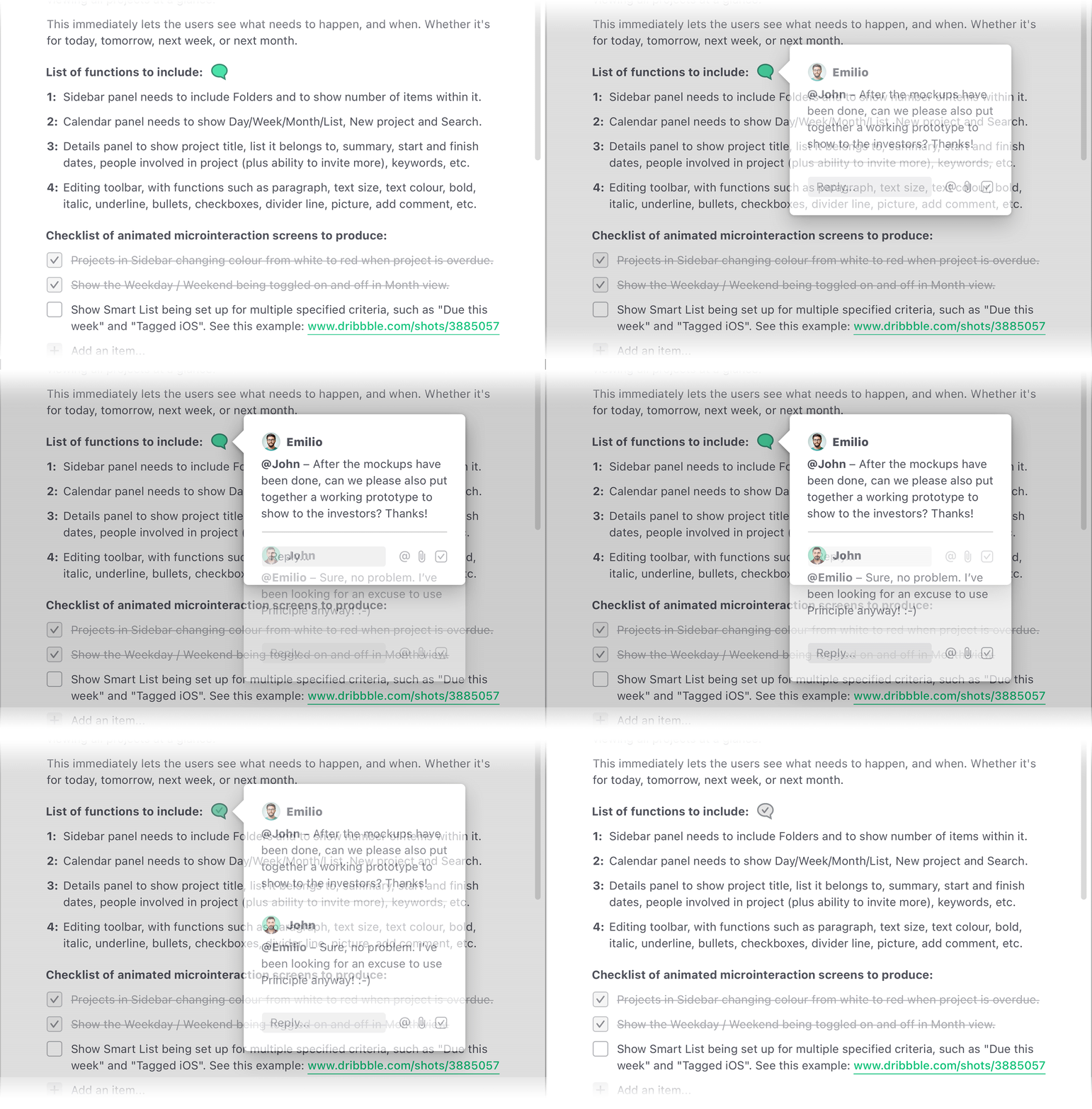
Add micro-conversations to your projects, tagging other team members to add ideas or make queries about a particular point, and then mark them as completed when done. Subtle enough to not clutter up your project details when closed, but still clearly noticeable to get your attention. And crucially, these discussions are pinned to the relevant point in the list, making it clear what they refer to, rather than being separated in an unconnected section of the application.
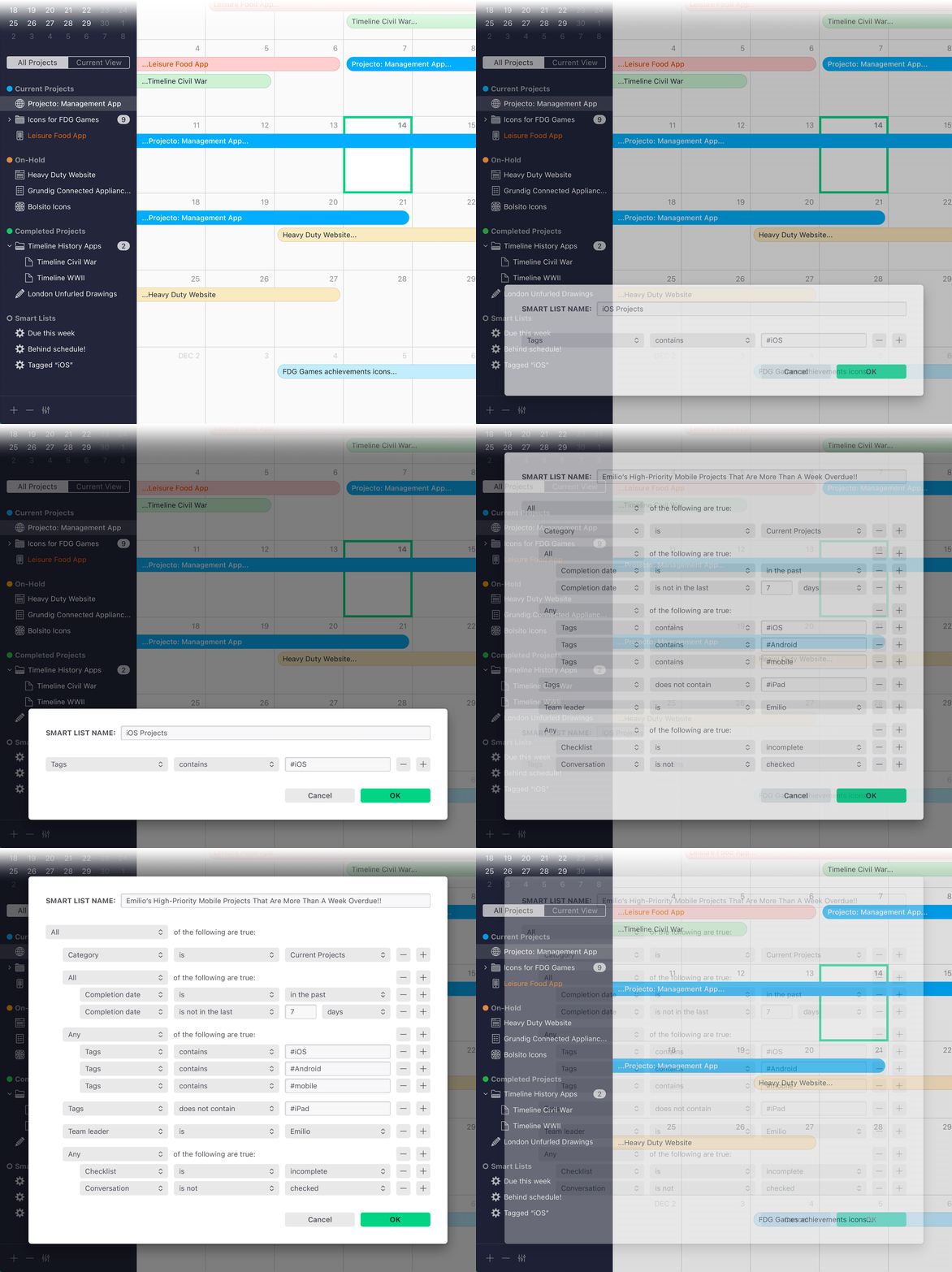
Smart Lists can be created to view projects that conform to specified rules, such as "Due date is this week" or "Tags contains iOS". The application even comes with a few suggestions for you, for often-used scenarios.
Or, if you need to keep on top of more complex situations, you can create Smart Lists that span multiple rules, with combinations of either or both the AND as well as OR conjunctions. You can choose to have the rules match ALL or ANY of the conditions. You can have your conditions in a linear format or in a nested format. Basically, whatever you want to categorise, Projecto can list it for you.
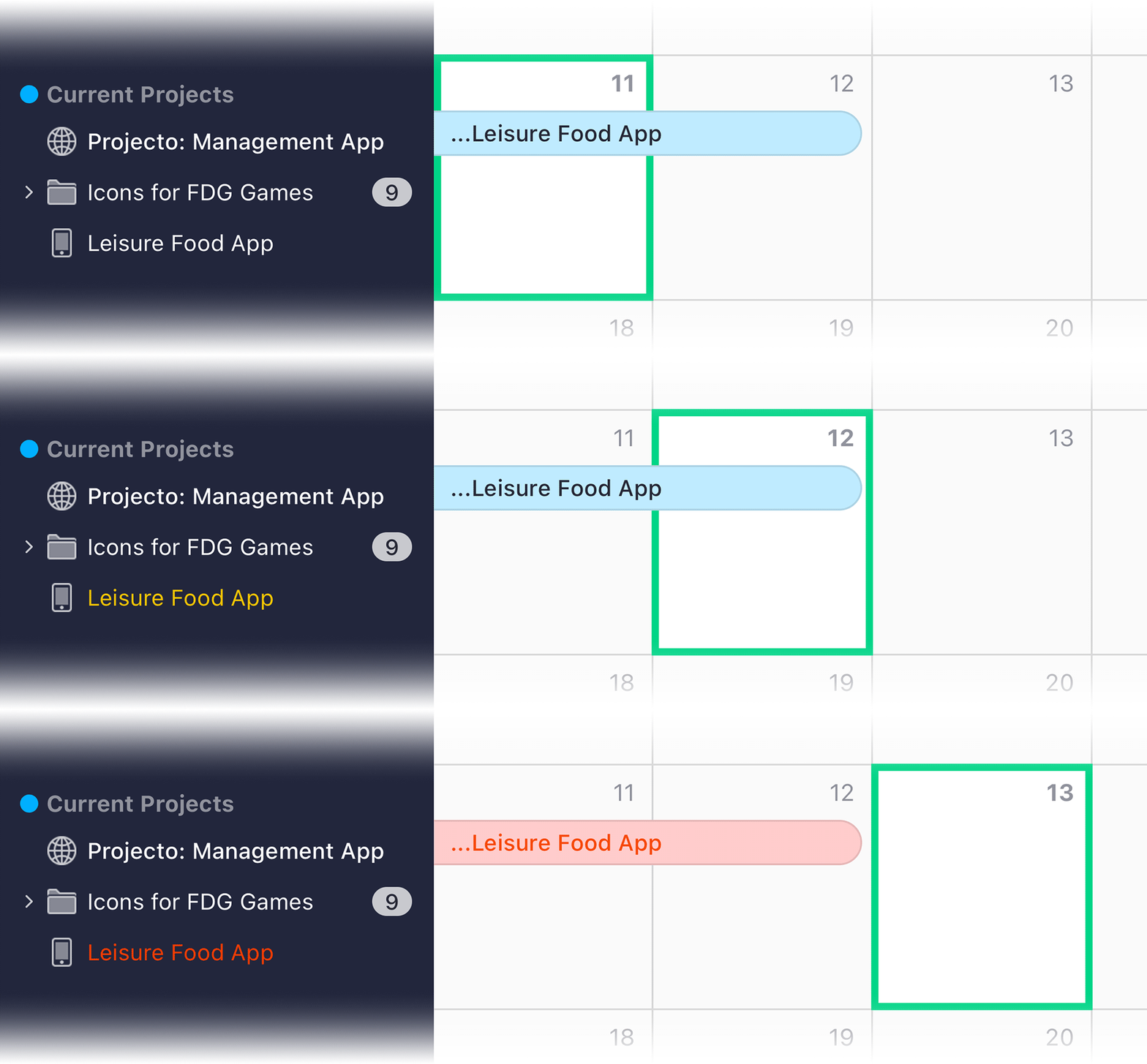
Project titles, both within the sidebar and in the calendar panel, will subtly change colour to let you know when they are becoming due, and change colour more drastically when they are overdue.
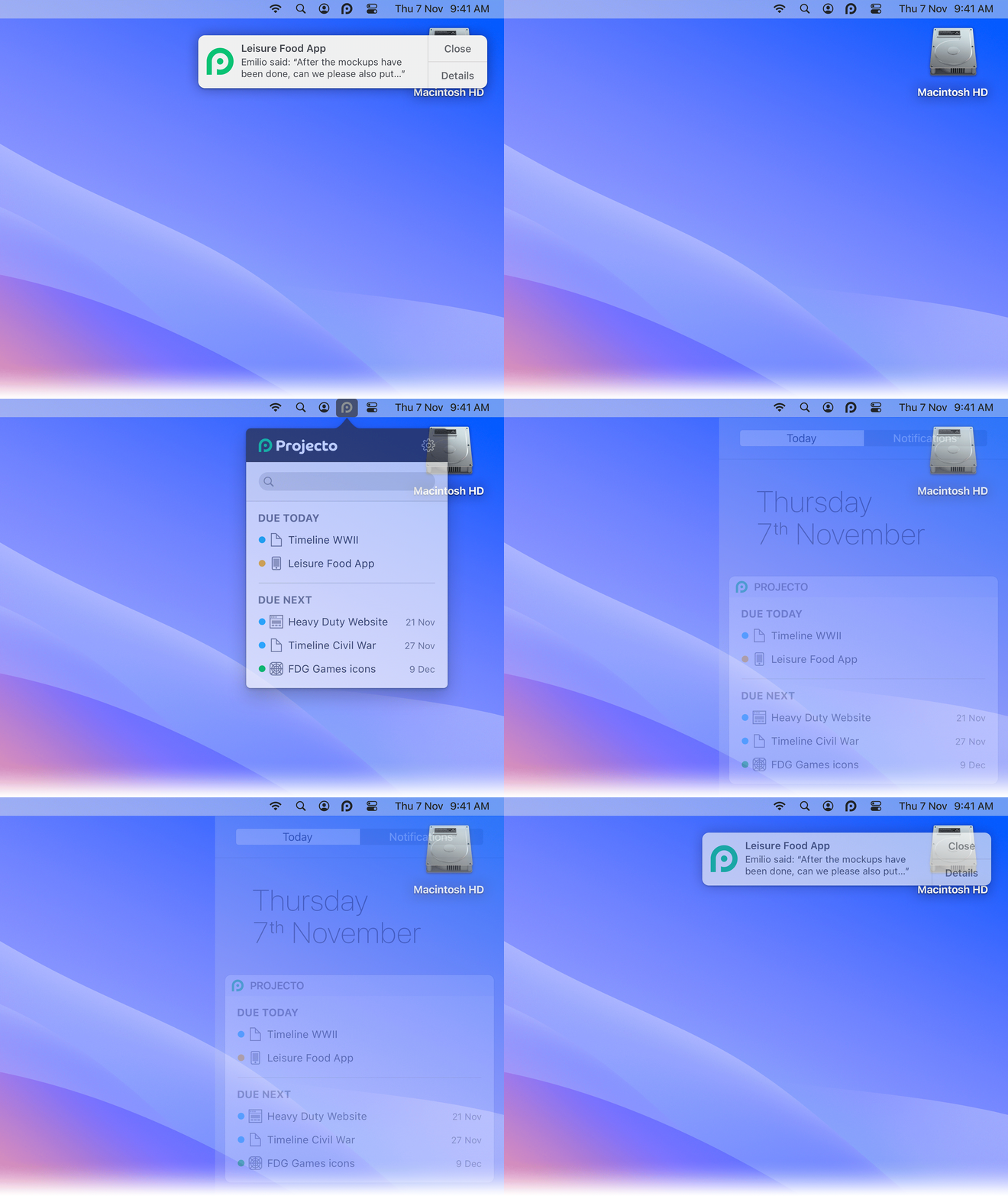
Projecto includes (1) configurable pop-up Alerts for many different features, (2) a Today and Due Next Notification Center Widget, and (3) a menu dropdown in the macOS Menubar, with options for searching, as well as Today and Due Next.
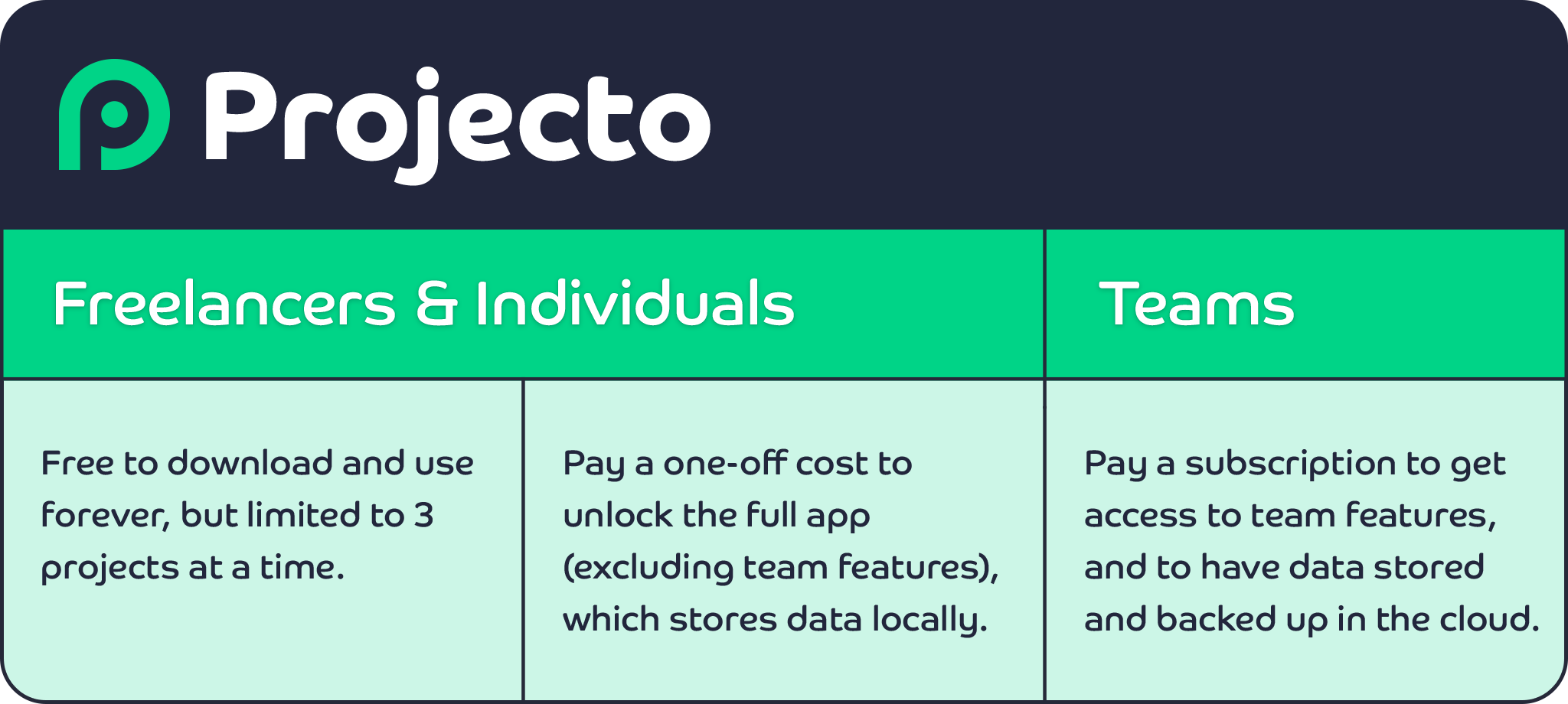
No matter your budget, or if you just want a free trial to put it through its paces, Projecto comes at a price to suit every pocket.

UX/UI • App • Prototyping
UX/UI • Website • Case Study

Motion Design • Marketing • Audio Editing

UX/UI • Website

Motion Design • Marketing • Illustration

Game • Illustration • Animation • UX/UI • Case Study

UX/UI • App • Motion Design • Prototyping

Game • Illustration • Animation • UX/UI

Marketing • UX/UI • Motion Design • Audio Editing
UX/UI • App • Case Study

Marketing • Motion Design • Illustration • Audio Editing

Case Study • UX/UI • Marketing • Website
Case Study • UX/UI • Prototyping • Motion Design • Audio Editing

UX/UI • App

Marketing • Illustration

UX/UI • Website • Prototyping • Marketing
UX/UI • Website

UX/UI • Illustration • Marketing • App • Game
This is just a small selection of my work. Please contact me if you wish to see more.
